

Writing a useful tutorial involves two different jobs: understanding the task and explaining it clearly.
You may know exactly how a process works while still struggling with awkward English, repeated words, or sentences that take too long to reach the point. DeepL Write can help with that editing stage.
The important part is reviewing its suggestions. A sentence can become smoother while losing a condition, changing the order of two actions, or making a cautious recommendation sound certain.
This guide explains how to use DeepL Write on an English blog draft, compare the proposed changes, and prepare the edited text for publication.
What DeepL Write Does
DeepL describes Write as an AI writing assistant for grammar, spelling, punctuation, and alternative wording. It supports both British and American English, among other languages. See the official DeepL Write overview.
Use it after you have decided what the article should say.
Good candidates include:
- An introduction with an unclear opening sentence.
- Instructions containing grammatical mistakes.
- A paragraph that repeats the same point.
- A conclusion with unnecessarily complicated wording.
- An English draft that needs more consistent phrasing.
Keep factual verification separate from language editing. A polished sentence is not evidence that a software feature exists or that an instruction works.
Step 1: Keep an Untouched Copy
Save the original draft before making changes.
For a short article, two documents are enough:
- Original draft.
- Edited draft.
For a larger project, use your editor’s revision history or tracked changes.
The purpose is simple: you need a reliable comparison when a rewritten sentence feels different.
Keep source links, screenshots, and technical notes with the original. These help resolve questions that a language editor cannot answer.
For example, if a paragraph describes a button labeled Export, your screenshot or official documentation tells you whether that label is correct. The most natural-sounding synonym may not be the word readers see in the application.
Step 2: Choose a Small, Complete Passage
Start with one paragraph or a short group of related instructions.
Give the tool enough context to understand what the words refer to. A sentence beginning “After doing this” may be difficult to edit accurately without the preceding action.
At the same time, avoid replacing the entire article in one pass. Smaller sections make comparison easier.
DeepL currently states that users without an account can process up to 1,500 characters at a time. Other limits depend on the plan. Check the current character-limit information rather than assuming that every account has the same allowance.
Choose a section that represents your usual writing. A difficult instruction is a more useful first test than a sentence that is already clear.
Step 3: Select Your English Variety and View the Changes
Open DeepL Write in your browser and paste the passage into the input area.
The web version displays the revised text beside the original. Use the language selector to choose British or American English, and enable Show changes for a closer comparison.
DeepL also provides a speaker control for listening to the original and revised versions. These controls are described in its usage guide.
Choose the English variety that matches your site and use it consistently.
However, keep official product names, quoted wording, and interface labels accurate. If a product uses “Color” in its menu, changing that label to “Colour” in a British English article could make the instruction harder to follow.
Review the first revision before applying any additional style settings.
Step 4: Decide What Must Stay Unchanged
Before accepting a rewrite, identify the important information in the passage.
For a practical tutorial, that often includes:
| Detail | What to preserve |
|---|---|
| Action | What the reader must do |
| Object | The file, setting, or item affected |
| Sequence | What happens before or after another step |
| Condition | When an instruction applies |
| Quantity | Numbers, units, limits, or durations |
| Certainty | Whether something may happen or will happen |
| Scope | Whether advice applies to one case or every case |
Consider this rough draft:
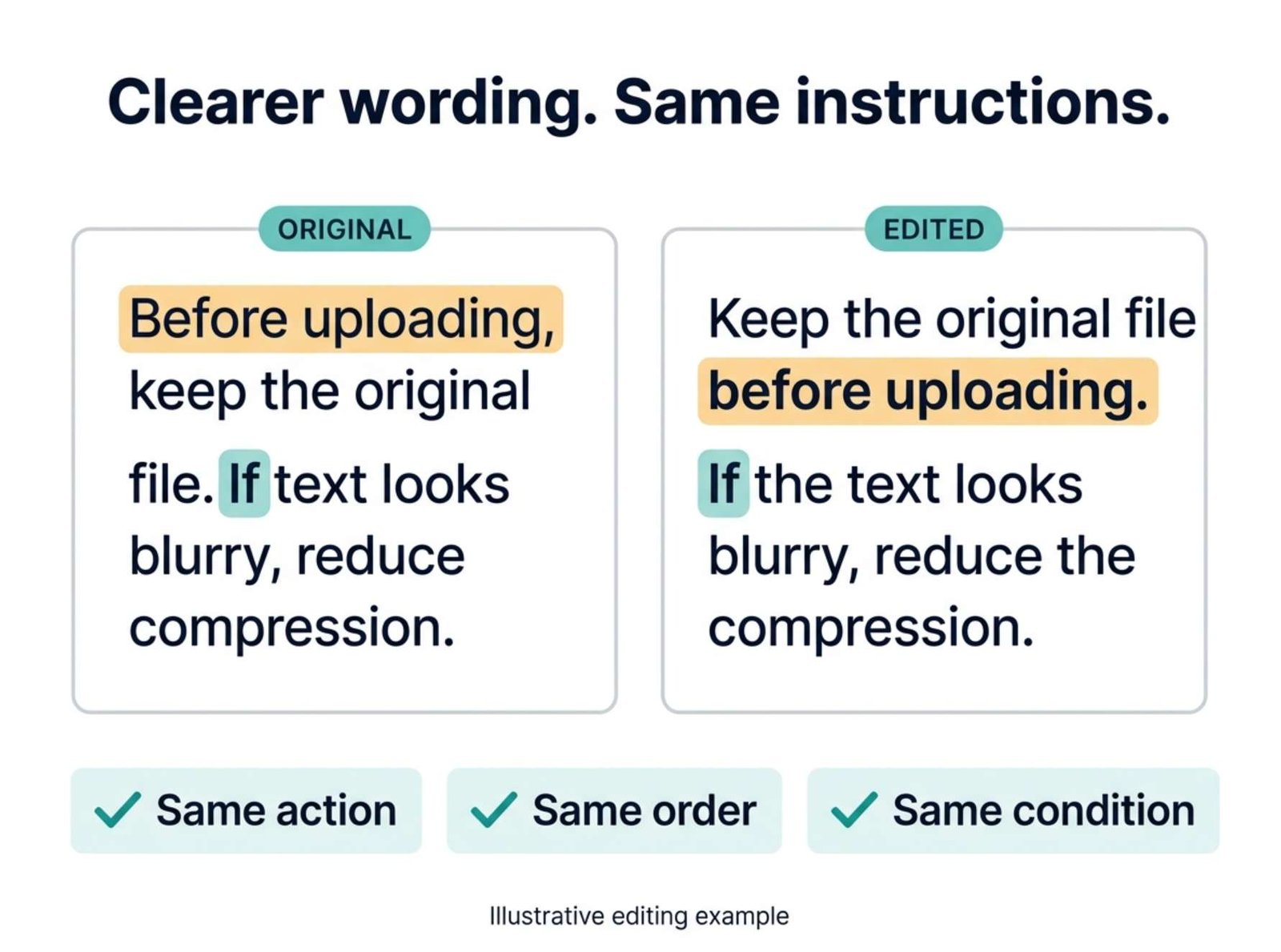
“Before you uploading the compressed image, keep the original file. If small text become difficult to read, reduce compression and export again. Compare both images at the same display size.”
A careful edit might be:
“Keep the original file before uploading the compressed image. If small text becomes difficult to read, reduce the compression and export again. Compare both images at the same display size.”
The grammar is cleaner, and the instructions remain intact.
These are illustrative editing examples written for this guide, not recorded outputs from a DeepL test.
Now consider this shortened version:
“Compress the image, upload it, and check that it looks good.”
It is easier to read, but it removes the original-file reminder, the condition for repeating the export, and the comparison method. Those details matter more than the reduction in word count.
Step 5: Use Style Settings With a Clear Purpose
DeepL’s Style menu includes options such as Simple, Business, Academic, and Casual, alongside tone choices. Select an available option and apply it to the passage. DeepL documents the controls in its customization guide.
For a beginner tutorial, Simple is a reasonable option to try.
Judge the result by the reader’s task:
- Is the action easier to identify?
- Are unfamiliar words explained?
- Does the paragraph still contain the necessary detail?
- Does it sound consistent with the rest of the article?
A more confident tone should not turn an uncertain result into a guarantee.
For example:
“This change may reduce background noise.”
does not mean the same thing as:
“This change will eliminate background noise.”
If a rewrite strengthens the claim beyond your evidence, restore the original level of certainty.
You can also decide that the first revision was better. A style setting is an option to evaluate, not a required stage.
Step 6: Protect Names and Technical Terms
Make a short list of wording that should remain exact.
For a technology blog, this could include:
- Product names such as WordPress or OBS Studio.
- Menu labels such as HTML Anchor.
- File extensions.
- Command names.
- Measurement units.
DeepL’s web version offers a Terms feature for English and German. It lets you list words or phrases that should not be edited. Open Terms, add the relevant entries, and enable the feature. Availability and limits are explained in the customization documentation.
Treat that feature as assistance, then check the result yourself.
Keep code blocks and long URLs outside ordinary prose-editing passes when possible. Restore them from the original draft and verify them separately.
Consistency also matters outside exact product names. If you call something a “source file” throughout the article, switching between “source file,” “initial document,” and “original asset” may make readers wonder whether you mean different things.
Step 7: Review Alternatives Without Rewriting Everything
Sometimes a paragraph needs only one better word.
On the web version, click a word to explore Replace word or Rephrase sentence. DeepL explains these options in its alternatives guide.
Choose the smallest change that solves the problem.
For example:
“You can utilize the preview to inspect the image.”
can become:
“Use the preview to check the image.”
There is no need to transform the surrounding paragraph if it already works.
After choosing an alternative, reread the complete passage. DeepL notes that changing earlier wording can replace adjustments made later in the text.
Avoid repeatedly rewriting a clear paragraph just to produce more variation. Every new version creates another comparison task.
Step 8: Shorten Carefully
DeepL provides a Shorten option for improved text on supported platforms. Its customization guide describes selecting the text, reviewing shortened alternatives, and accepting or discarding the result.
Use shortening to remove repetition and unnecessary setup.
Good candidates include phrases such as:
- “It is important to remember that…”
- “In order to…”
- “At this point in the process…”
- Two consecutive sentences making the same point.
Check the remaining meaning carefully.
| Original meaning | Unacceptable change |
|---|---|
| Try the change on one test file | Apply it to every file |
| Continue after checking the preview | Continue before checking |
| The setting is optional | The setting is required |
| The result may improve | The result always improves |
These examples describe changes to reject; they are not claims about typical DeepL behavior.
A short paragraph is useful only if it still gives the reader enough information to act correctly.
Step 9: Restore the Passage to Its Article
Once a section is edited, put it back between the paragraphs that surround it.
Read across the boundaries.
Look for:
- Repeated introductions.
- Sudden changes in formality.
- Terms that have been renamed.
- Pronouns with unclear references.
- A conclusion appearing before the instructions are complete.
A paragraph can work well by itself and still fit badly into the article.
Read the complete section aloud. Listen for sentences that are grammatically correct but difficult to follow in one pass.
If a passage still confuses you, identify the underlying problem. It may need a concrete example, a missing step, or a clearer explanation rather than another rewrite.
Step 10: Check the WordPress Version
Copy the approved text into your draft and review the actual article layout.
Confirm that:
- Headings remain Heading blocks.
- Numbered instructions stay in the correct order.
- Links still point to their intended destinations.
- Code and filenames remain exact.
- Tables display properly on a phone.
- Image captions still describe the images.
- Citations remain attached to the claims they support.
Replacing text can affect formatting, so inspect the preview before publishing.
This final pass is also the time to remove editing notes that were never meant for readers.
Know When to Keep Your Own Wording
Reject a suggestion when it changes the meaning, removes a useful example, makes an instruction less precise, or replaces familiar language with something unnecessarily formal.
Your original sentence may already be the best version.
For recurring problems, keep a small editing note. If you often write “in order to” where “to” is enough, you can catch that pattern in future drafts before opening any tool.
DeepL Write is most useful when it supports your judgment. Let it suggest clearer language, then make the final decision based on accuracy, consistency, and what the reader needs to understand.