

The post looks successful. A few people like it, someone leaves a friendly comment, and the image attracts more attention than your previous update.
Then you check your website. Almost nobody has arrived.
It is tempting to blame the platform or decide that your audience never clicks links. But the reaction count alone cannot tell you what happened. Someone can enjoy a useful tip without needing the full article. Someone else might want the article but struggle to find the link.
Before changing your posting schedule or rewriting every headline, examine the invitation you are giving readers.
What, exactly, will they gain by leaving the feed?
A Like Is an Easy Response. A Visit Needs a Reason.
Imagine a blogger sharing an article about testing WordPress changes on a staging site.
Their social post says:
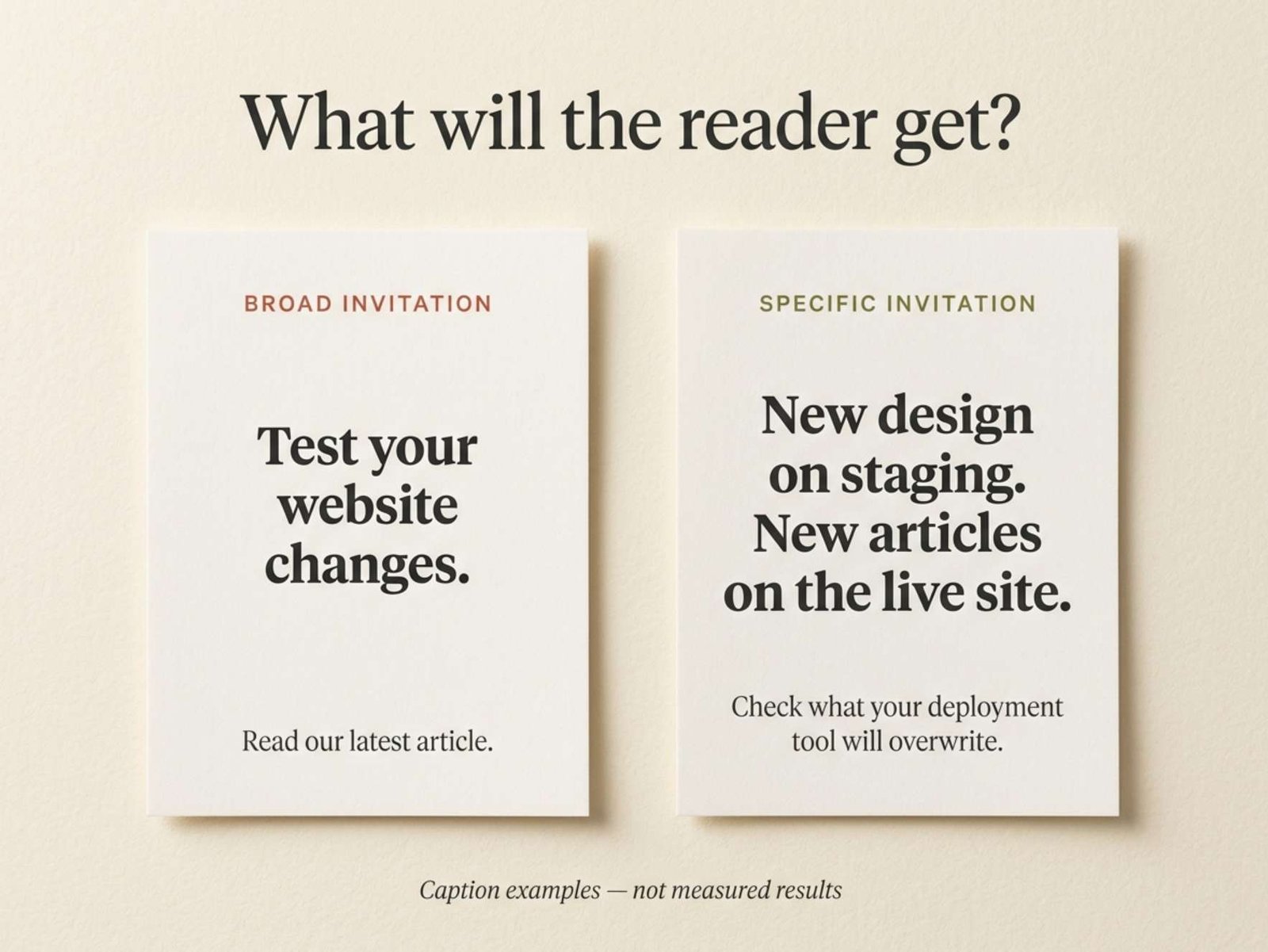
Working on your website today? Remember to test your changes before publishing. A little preparation can prevent a big headache!
Read our latest article.
There is nothing offensive or obviously incorrect here. It is friendly, relevant, and easy to agree with.
But it leaves the article’s value unclear. Does the page explain backups? Recommend a plugin? Show how to create a staging site? Discuss what to do after an update breaks something?
The reader has to guess.
Now consider another version:
Your test site has the new design. Your live site has the article you published yesterday.
Before replacing one with the other, check what your staging tool will overwrite. Some deployment tools replace the live database, including newer content.
Our guide explains what to check before transferring changes.
This is an illustrative rewrite, not a claim that one caption achieved better results.
The second version names a situation, explains the potential problem, and describes the next thing the reader can learn. It gives someone facing that situation a clearer reason to continue.
That is a useful editing goal even before you have performance data.
Give Away Something Useful, Then Explain What Comes Next
A common response to low traffic is to make the post more mysterious:
Most website owners make this dangerous mistake. Find out before it is too late.
The reader is asked to click without knowing much about the topic. Even if that produces curiosity, the article still has to justify the interruption.
You do not need to hide the useful part.
For the staging example, the useful fact is that a full database replacement can overwrite newer content. The article can then explain how to recognize that situation, choose a transfer method, and check the live site afterward.
The social post provides the observation. The article provides the decision process.
This distinction also helps with other subjects.
A video compression post could explain that making a file smaller can damage small interface text. The linked guide could then show how to compare a short sample before exporting the whole recording.
An AI writing post could show one sentence where an assistant changed “copy the files” into “move the files.” The article could explain how to check a draft against its source notes.
In each case, the post is useful on its own. The link offers a specific next level of help.
If there is nothing meaningful beyond the tip, low click activity may be understandable. The audience might already have received everything the post promised.
The Image and the Caption Should Tell the Same Story
Picture the staging caption beside a generic photograph of a laptop with a cheerful “Grow Your Business” headline.
The image introduces a broad business topic. The caption introduces a particular WordPress problem. The reader has to connect the two.
For this post, a more relevant visual might show two simple website cards:
Test site: new design
Live site: new article
That visual supports the situation being described. It does not need invented analytics, warning symbols everywhere, or a claim that disaster is inevitable.
A photograph can work too. For example, a believable workspace with two versions of a website open on separate screens can introduce the comparison. The caption then supplies the detail.
The useful question is whether the image helps the right person recognize the subject.
A visually attractive post can still be vague. Before publishing, look at the image and the first sentence together. If they seem to advertise different articles, revise one of them.
Sometimes the Problem Is the Journey After the Post
A good invitation can lead to a disappointing destination.
Suppose the caption promises a checklist for transferring WordPress changes. The link opens the homepage, where the visitor must locate the article among unrelated posts.
Or it opens the correct article, but the first several paragraphs discuss the history of WordPress before mentioning staging.
The promise was specific. The arrival was not.
Open your post on a phone and follow the link as a reader would. Check whether it opens the promised article, whether the heading matches the subject, and whether the useful section is easy to find.
Do this through the actual social app when possible. A link working in your desktop browser does not confirm that the entire mobile journey is comfortable.
Also look at how the link is presented. Different social formats provide different ways to reach a destination. A caption that says “read the guide below” is confusing if the usable link is somewhere else.
Give directions that match the format you are publishing. If you direct people to a profile link, make the relevant article easy to identify there.
These checks will not explain every traffic problem, but they can reveal a broken or unnecessarily complicated path before you spend time changing your writing.
Read the Metric Behind the Attractive Number
The word “engagement” can hide several different actions.
Pinterest provides a useful example. Its documentation distinguishes between Pin clicks, which open a Pin in closeup, and outbound clicks, which lead to a destination outside Pinterest. Its overall engagement total includes multiple actions, including saves and both kinds of clicks. Pinterest’s metric definitions
Someone inspecting an image is not necessarily someone visiting your website.
For the platform you use, read the definition of the available click metric. Choose the measure closest to the action you want, rather than assuming the largest number represents visitors.
Where impressions and outbound clicks are available, a simple comparison can help:
Outbound click rate = outbound clicks ÷ impressions × 100
Consider two fictional posts:
Post A: 2,500 impressions and 10 outbound clicks — 0.4%.
Post B: 1,800 impressions and 27 outbound clicks — 1.5%.
Post B generated more outbound clicks despite fewer impressions. That makes it worth examining if website traffic was the objective.
These figures are arithmetic examples, not recommended benchmarks. They also do not prove that the caption caused the difference. Topic, audience, timing, format, and distribution could all have contributed.
Compare posts using the same metric and comparable observation periods. Do not mix reach with impressions or compare a month-old post with one published an hour ago and treat the result as a fair test.
Check What Happened on the Website, Too
A platform’s click count describes an action there. Your website analytics describes what it recorded after arrival.
In Google Analytics 4, the Traffic acquisition report helps you examine the sources of sessions from both new and returning visitors. Session source and medium are useful dimensions when reviewing social traffic. Google’s Traffic acquisition documentation
That report can help establish whether a social channel is bringing visits. Identifying one particular post usually requires more specific tracking, such as consistently tagged campaign links.
Do not expect website sessions and platform clicks to match exactly. A session groups interactions on your site; it is not simply another name for a click. Google’s explanation of Analytics sessions
Keep that distinction when diagnosing the problem. Few outbound clicks suggest examining the post and its invitation. A substantial click count with unexpectedly little recorded website activity calls for checking the destination and measurement setup as well.
And a recorded visit still does not prove that someone read the entire article or found it useful.
Make the Next Post More Specific, Not More Dramatic
Return to one existing article instead of immediately creating another campaign.
Write down the situation it helps with, the useful detail you can share in the feed, and the additional help available on the page. Use those three ideas to draft a fresh caption.
For the staging article, the finished version could be:
Redesigned your WordPress site on a test copy? Check what happened on the live site while you were working.
New posts and comments may be missing from that older copy. Before publishing it, find out whether your tool replaces the database or transfers selected changes.
Read the guide for a practical check before moving your changes live.
The article must actually deliver that guidance. If it does not, improve the article before promoting it with this promise.
When you review the post later, look beyond whether it collected more likes. Examine the relevant click metric, the visits you could measure, and any questions readers asked. Treat the result as evidence for your next experiment, not a universal formula.
Some posts are there to answer a question inside the feed. Others invite someone to continue on your website. Decide which job this post should do, and make that invitation clear enough for a reader to judge.