

You share a useful article on your Facebook Page. Someone asks whether the instructions work on a phone. Another reader points out an outdated screenshot. Then several unrelated accounts post the same promotional message.
Removing those messages individually gets repetitive. Blocking every word they contain, however, can create another problem: genuine questions disappear with the spam.
A useful moderation setup needs two things—a carefully chosen filter and a habit of checking what it catches.
This guide focuses on a Facebook Page used to share blog articles, tutorials, or other helpful content. It explains how to build a small keyword list, avoid overly broad rules, and respond to readers whose comments deserve attention.
Decide What You Want to Keep
Before opening the settings, look at the comments you want your Page to encourage.
For a technology blog, those might include:
- Questions about a step in a tutorial.
- Corrections to information that has changed.
- Reports of broken links or missing images.
- Relevant experiences with a tool.
- Respectful disagreement with a recommendation.
These comments can improve both the discussion and the original article.
For example, “This doesn’t work in my version of WordPress” may sound negative, but it could reveal a real gap in your instructions. Hiding it would leave the problem unresolved for the next reader.
Write a brief moderation rule you can apply consistently:
Questions, corrections, and respectful disagreement are welcome. We may remove repetitive promotions, impersonation, personal attacks, and unrelated links.
You can adapt this wording for a public Page post. Keep it specific enough that a reader understands the behavior you are moderating.
Review the Pattern Before Building a Filter
Start with a small sample of recent comments from several posts.
Read each comment in context. A phrase that looks promotional on its own may be a legitimate answer to another reader’s question.
Consider these illustrative examples:
| Comment | Suggested response | Reason |
|---|---|---|
| “Does this work with the free version?” | Answer it | Relevant question about the article |
| “The link in your post is broken.” | Check the link and reply | Potential publishing error |
| “I tried this and got a different result.” | Ask for details | Could reveal a missing condition |
| The same unrelated promotion under several posts | Remove or hide according to your rules | Repetitive off-topic content |
| An account pretending to represent your site and requesting login details | Remove and report through Facebook’s tools | Impersonation and a potentially harmful request |
These are editorial examples, not results from a tested Facebook Page.
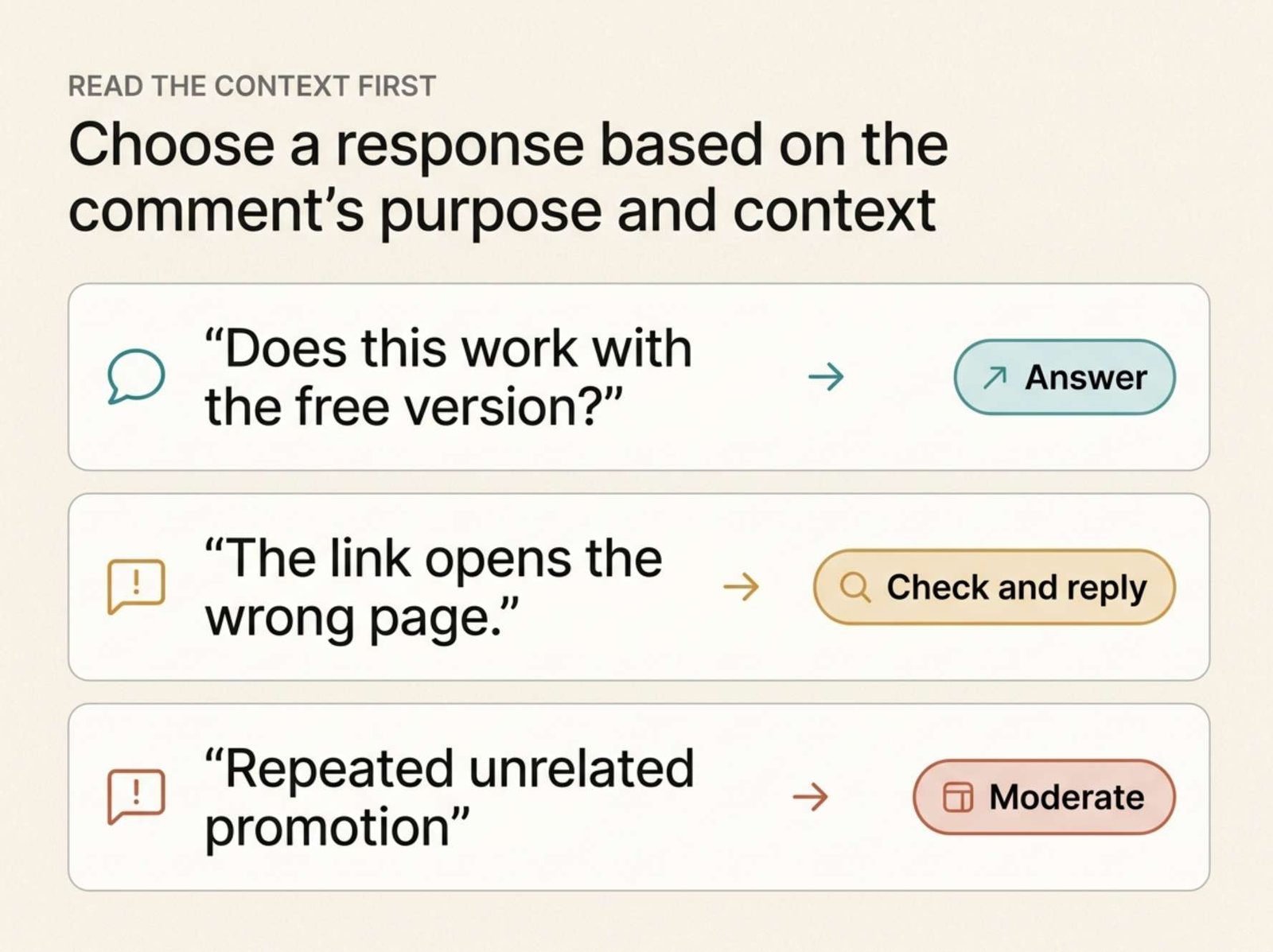
The useful distinction is the purpose of the comment. An unhappy reader and a spam account can both use words such as “problem,” “help,” or “free.” Those words alone do not tell you which one you are dealing with.
Meta provides Page moderation tools that include hiding or deleting comments, filtering words, and reporting content. Choose an action that matches the actual behavior. Meta’s overview of moderation tools
Add a Small Keyword List in Facebook
For someone with Facebook access to the Page, Meta documents this desktop route:
- Click your profile picture and select See all profiles.
- Switch into the Page.
- Open Settings & privacy, then Settings.
- Select Followers and public content.
- Open Hide comments containing certain words from your Page.
- Enter the words or phrases, separated by commas.
- Review the list and select Save.
Matching comments are hidden. Meta allows up to 1,000 keywords, including phrases and emojis, and automatically covers some common spelling variations. Facebook’s keyword-filter instructions
You do not need a large list to begin.
Start with a few distinctive phrases that repeatedly appear in unrelated comments on your own Page. If the menu differs from these instructions, check that you have switched into the Page and consult the linked help article for your access type.
Avoid Words Your Readers Need
A large copied blocklist can look thorough while making your discussion harder to use.
For a blog about WordPress, AI tools, video, and social media, these words are especially poor starting points:
Free. Readers may need to know whether a tutorial requires a paid plan.
Link. People may be reporting a broken destination or asking for a source.
Download. This can appear in ordinary questions about saving a file.
Help. It is common in both genuine support requests and unwanted promotions.
Problem. Blocking it can conceal reports that your instructions are unclear.
Scam. Readers may be warning you about a suspicious reply.
Instead, look for a more distinctive phrase within the repeated unwanted message.
Suppose unrelated accounts keep posting:
“Message our promotion team for guaranteed follower packages.”
Blocking “message” would affect many normal conversations. A more specific phrase from that repeated promotion may be a better candidate.
Even a specific phrase needs review. A reader could quote the same message to warn other people about it. Keyword matching cannot replace reading the surrounding conversation.
Do not add a phrase simply because it appeared once in a comment you disliked. First establish why it is a useful signal of the recurring problem.
A Small Example Shows Why Context Matters
Imagine that you publish a tutorial about compressing images before uploading them to WordPress.
The post receives these three comments:
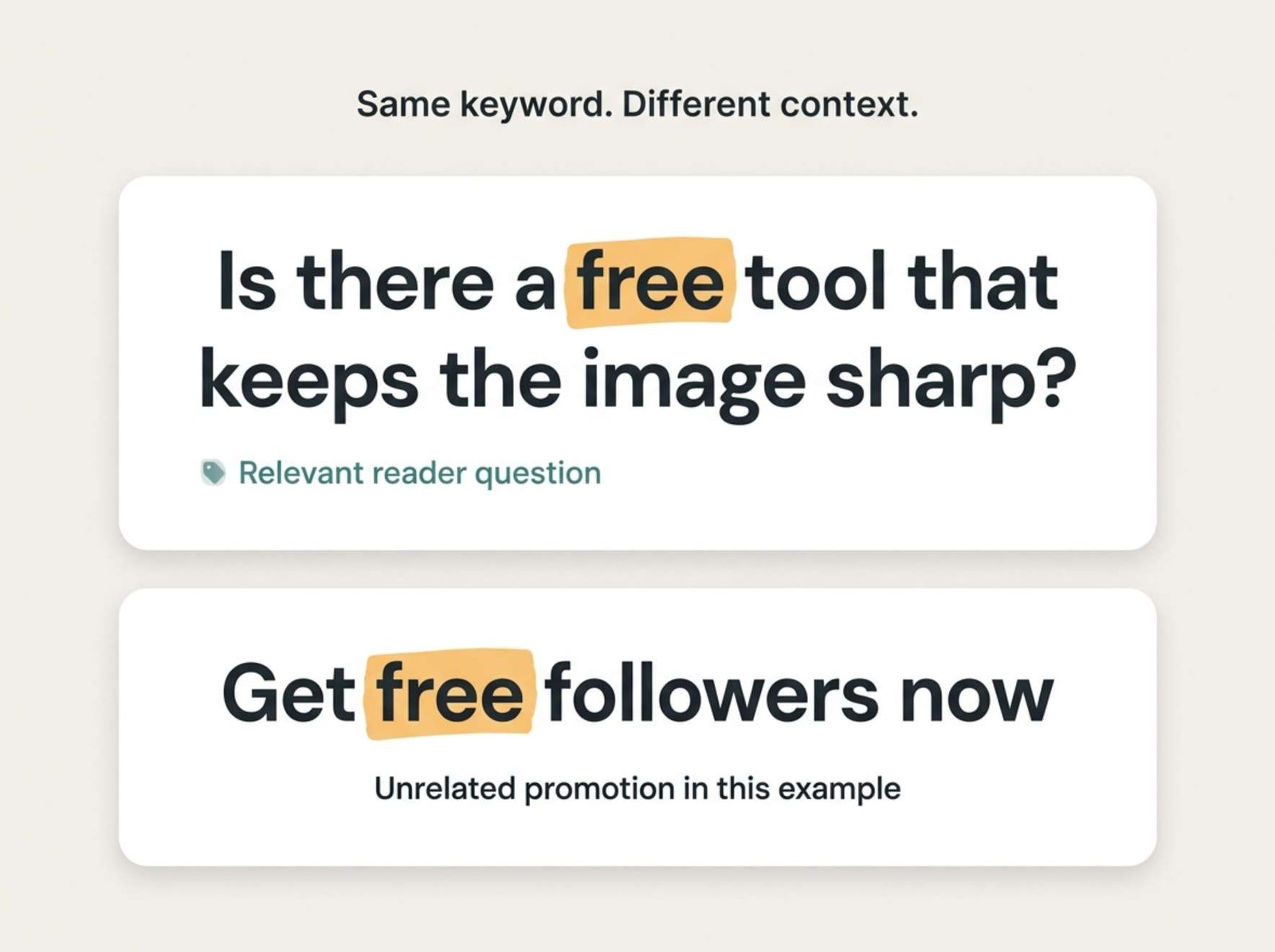
“Is there a free tool that keeps the image sharp?”
“Your download link opens the wrong page.”
“Get free followers now—message our promotion team.”
This is an illustrative scenario.
A filter containing “free” would affect both the useful question and the promotion. A filter containing “download” would affect the report about your link.
The better response is to treat the comments separately.
Answer the first reader with the relevant information from your article. Open the destination mentioned by the second reader and correct it if necessary. Moderate the unrelated promotion according to your Page rules.
If the promotional phrase appears repeatedly, consider adding a distinctive part of it to your filter.
The point of the filter is to reduce repetitive work while preserving the comments that help readers.
Treat the Profanity Filter as a Separate Decision
Facebook also offers a profanity filter. Meta describes it as using commonly reported words and phrases considered offensive by the community. Meta’s explanation of comment controls
That is a different purpose from catching repetitive promotions.
A promotional message can contain no profanity at all. A frustrated but genuine reader may use profanity while describing an actual problem.
Decide what language is acceptable on your Page, then review how the filter affects the conversation. Avoid assuming that one setting can identify every kind of unwanted comment.
If a useful question is expressed poorly, you may still need to address the underlying issue. Your moderation rule should help you distinguish the reader’s question from the way it was phrased.
Check What the Filter Gets Wrong
After changing your list, review the results while the affected posts are still receiving comments.
Look for two kinds of mistakes:
Useful comments caught by the filter. These indicate that a phrase may be too broad or needs closer review.
Repeated spam that remains visible. This may reveal a different recurring phrase, or a pattern better handled individually.
Meta’s keyword guidance says you can restore a filtered comment using Unhide. Facebook’s guidance on blocked keywords
If you find a genuine question that was hidden, review the keyword that may have caused it. Restore the comment where appropriate and answer the reader.
Keep a simple private record:
| Date | Phrase added or removed | Reason | Follow-up |
|---|---|---|---|
| Example day | Removed “free” | Could catch legitimate pricing questions | Review affected comments |
| Example day | Added a distinctive repeated promotion phrase | Appeared under unrelated posts | Check for quoted warnings |
This is a suggested record, not a Facebook reporting feature.
The purpose is to remember why a rule exists. Without that context, an old keyword list can become difficult to maintain.
Respond to Corrections Before Defending the Article
Moderation also includes knowing when to leave a comment visible and investigate it.
Suppose someone writes:
“Your instructions are wrong. That setting isn’t there anymore.”
A useful first reply could be:
“Thanks for flagging this. Are you using the desktop website or the mobile app? I’ll check the instructions against that version.”
Use this wording only if you intend to follow through.
Once you verify the issue, update the article where necessary. Then return to the discussion with a specific response:
“You were right—the menu label had changed. I’ve updated that section and added a note about the mobile layout.”
This second example is appropriate only after you have actually made those changes.
Avoid posting a general “thanks for your feedback” response when the reader has identified a concrete error. A clear explanation helps everyone who encounters the same problem later.
For troubleshooting, ask only for details needed to understand the issue, such as the device, application version, or exact error text. Do not ask readers to post passwords, login codes, or private account information.
Use a Review Routine You Can Maintain
For a small Page, a brief manual review after publishing may be enough to start. Increase the attention you give a post when it receives more replies or attracts repeated spam.
During each review:
- Answer useful questions.
- Investigate corrections.
- Moderate repeated off-topic content.
- Check for legitimate comments caught by filters.
- Record recurring questions that reveal gaps in your articles.
Avoid judging success by the number of comments hidden. A high number can mean that a filter is catching spam, but it can also mean the rule is too broad.
A more useful check is whether readers can still ask ordinary questions and receive clear answers.
Keep the keyword list small enough to understand. Expand it when recurring evidence supports a new rule, and remove entries that repeatedly interfere with genuine discussion.